
LOVATO
Software and Apps
Configuration software · monitoring applications · compatible device tools
Use the manufacturer family catalogue to confirm current variants, technical limits and compatible accessories.
Manufacturer data & documents ↗COMPONENT FAMILIES / Energy management
Plan commissioning and monitoring tools around compatible equipment.
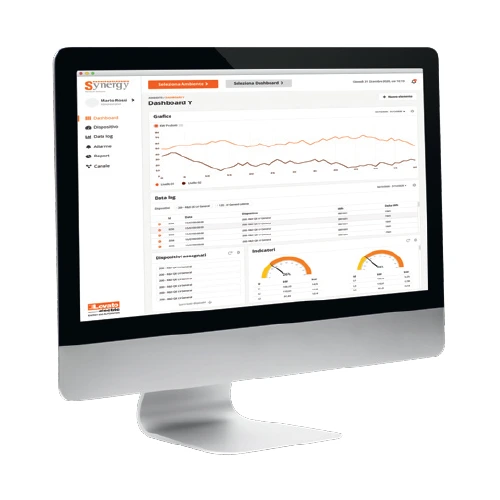
APPLICATION GUIDE
Software choice follows the installed devices and intended workflow. Confirm version support, licensing and the required access method. Maintain configuration backups and record who is responsible for updates and recovery.
Typical applications: Commissioning, diagnostics and ongoing equipment monitoring.
SELECTION AT A GLANCE
Configuration software · monitoring applications · compatible device tools
Ratings and supply options vary by series. Ask for the range suited to your application.
Compare the named series against your requirement. These are catalogue references; stock and lead times are confirmed on enquiry. Similar headline ratings do not establish an interchangeable replacement.
LOVATO
Configuration software · monitoring applications · compatible device tools
Use the manufacturer family catalogue to confirm current variants, technical limits and compatible accessories.
Manufacturer data & documents ↗Manufacturer references reviewed 2026-09-25. Images identify the manufacturer stated in their captions.
Send the following information so the family can be narrowed to a suitable series. For an existing installation, include the full device reference and clear photographs of the nameplate and connections.
Key selection checks: Supported devices; licensing; access and backup policy.
Discuss software and apps ↗No. The range describes selected catalogue families. NPE confirms the exact series, configuration, stock and lead time against your enquiry.
No. Check the full electrical duty, physical fit, interfaces and supported accessories. Send the installed reference so the intended function can be compared against the proposed component.
SIZE IT BEFORE YOU SPECIFY IT
Try the tools relevant to software and apps, compare scenarios, then send the inputs to our team.
Enable JavaScript for live calculations, or ask our engineering team.